
Roomtopia
2018.02 - 2018.05 (School project)
Collaborate easily, communicate timely, live happily with your roommates.
Prompt
Design a mobile app that makes the life more convenient for people who live with other roommates.
Approach
1. Identify the problems
2. Understand the users
-
User survey & user stories
-
Goals
3. Competitor analysis
4. Information architecture
5. Prototyping
-
Rapid sketches --> Lo-Fi wireframes --> Hi-Fi wireframes
-
Interactive prototypes
6. Visual design
-
Mood board & style board
-
User Interface
-
Logo design
Product marketing video
User Flows Demo

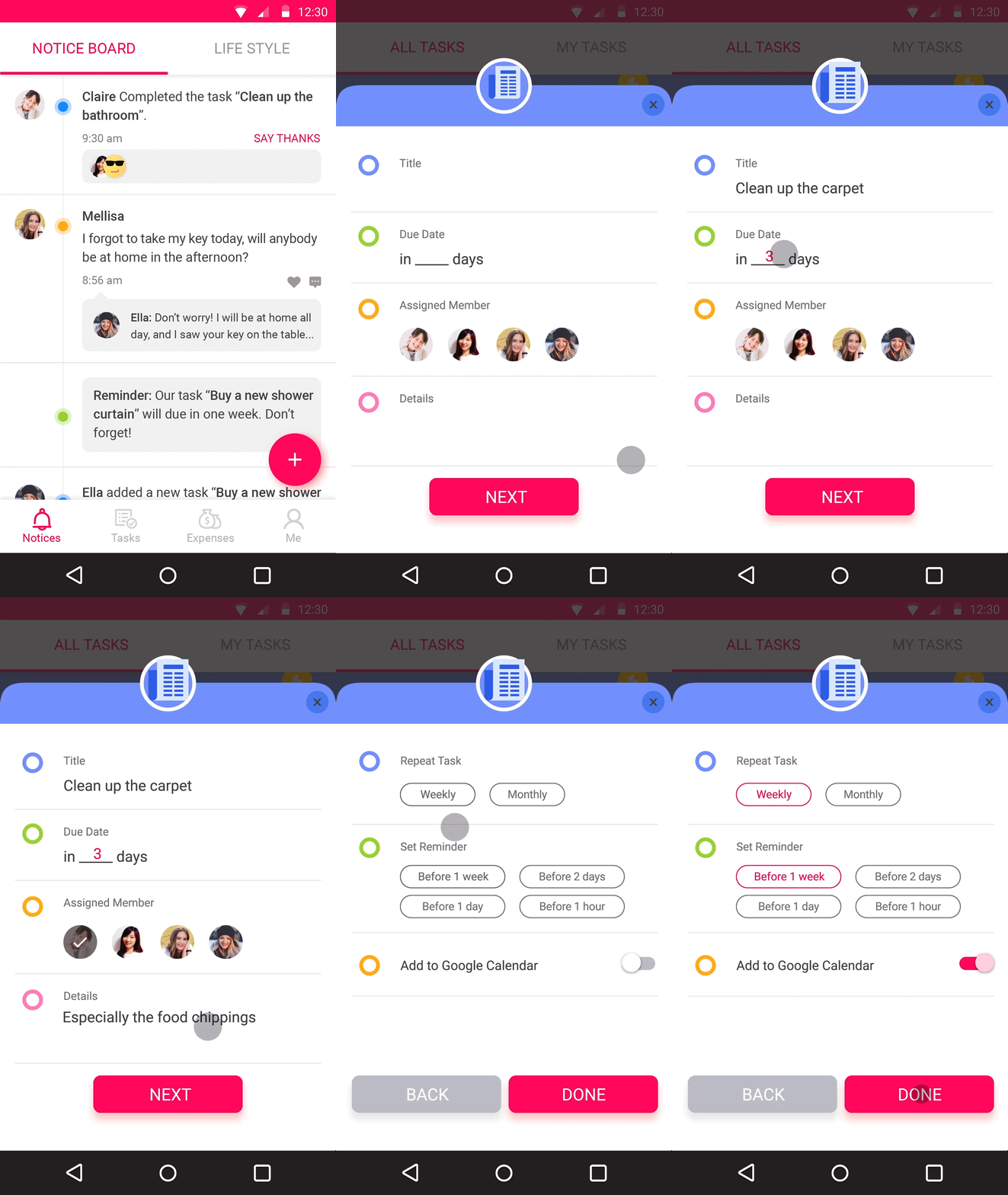
Manage daily tasks together.
You can create home tasks, assign the tasks to any home members, set due date, add the tasks to google calendar, and mark them when they are completed.
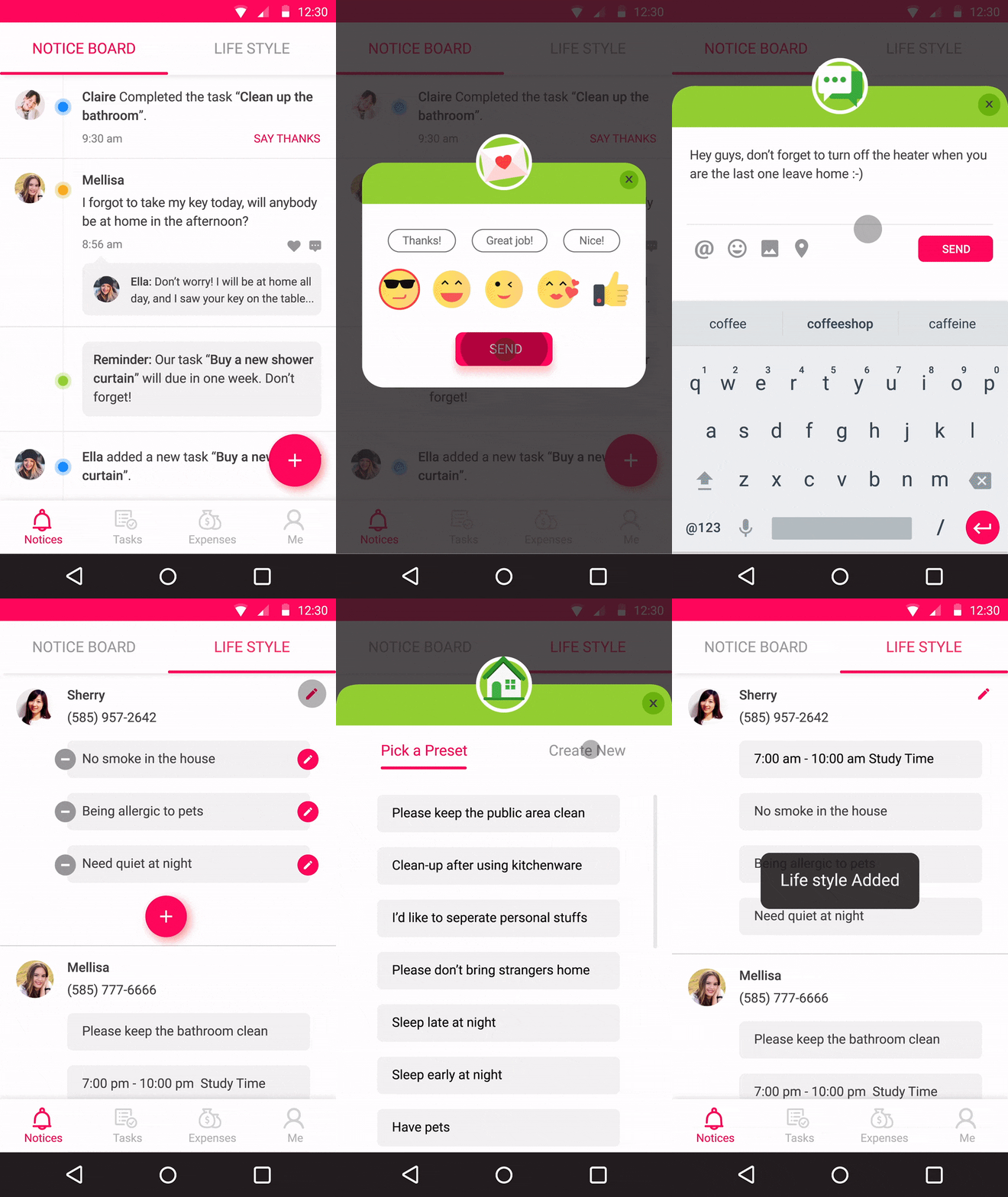
Communicate better.
All the task status, reminders and notes will appear on the notice board. You can leave notes and say thanks to your roommates if they complete the home tasks.
You can also edit your lifestyle on the lifestyle list, so that you will know each other's living habits better and respect each others' schedules and preferences.
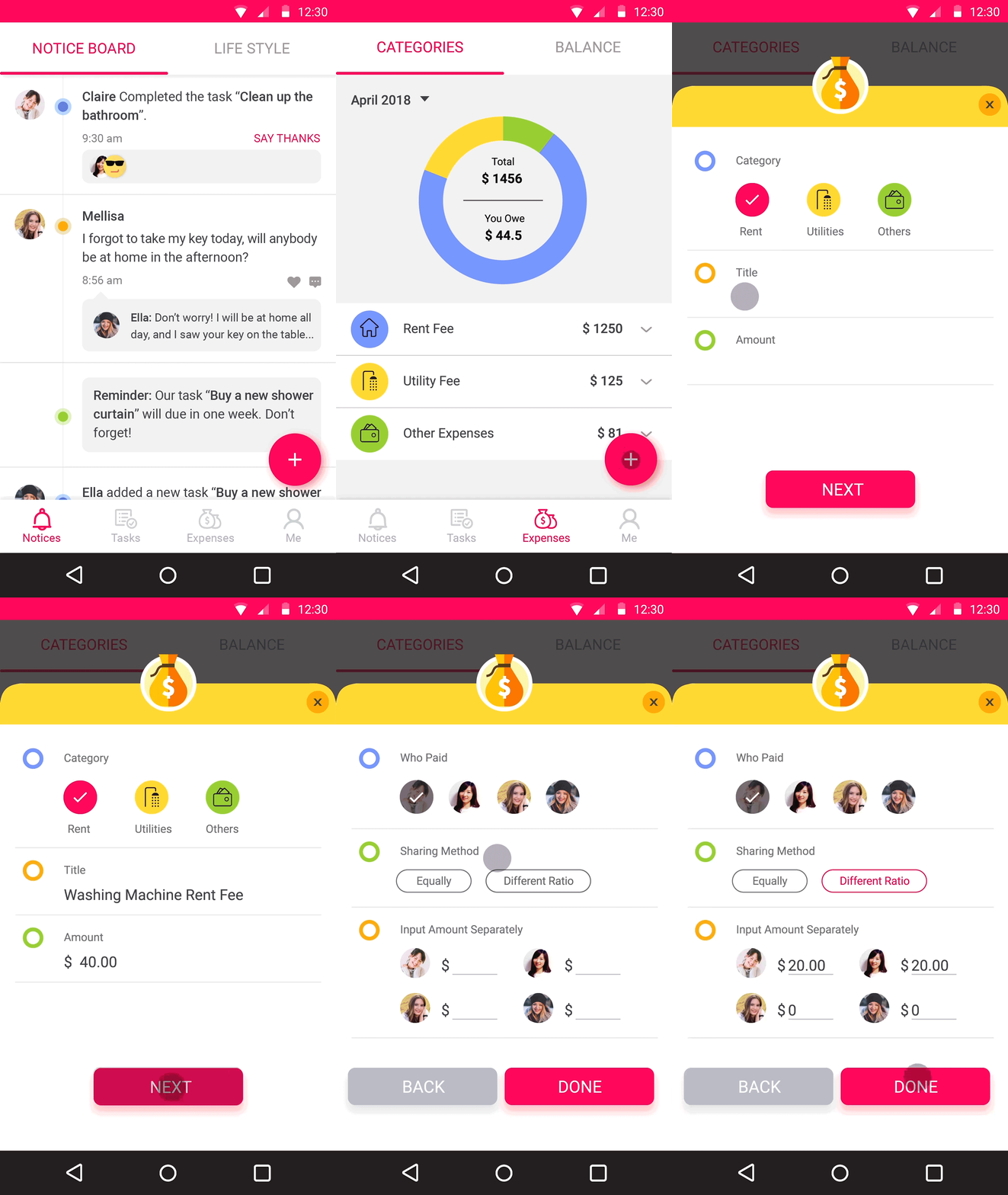
Share equally.
All the living expenses will be clearly recorded by categories.
You can also check the debts between each other. If someone forget to payback, you can set a reminder which will be sent to that member privately.
Identify the problems
In the last half-century, the accommodation status of young people has undergone an amazing shift. Friends and Craigslist strangers have essentially replaced spouses and families as the first living-partners for young Americans — almost 40 percent of young people are living with friends or strangers.

But many people are not satisfied with their roommates, especially females. According to the data of a research that conducted with 30 male and 30 female undergraduates, more than half of the female participants felt not satisfied with their roommates and have ever thought about changing a roommate. Sometimes people find it hard to manage household tasks with their roommates and easy to cause unpleasantness or even conflicts.

Understand the users
Let's learn more about people who live with their roommates by conducting an online survey.
Finding 1: What's the main reason that causes the problems?
People are lacking good communication with their roommates.


Finding 2: What are the main tasks when people collaborate with their roommates?
1. Cleaning
2. Shopping for houseware
3. Paying for utility bills
4. Cooking
5. Home appliance maintenance

Finding 3: What are the most important things that people expect their roommates to do?
1. Don't mess up the shared spaces
2. Keep good communication
3. Have good personality
4. Be responsible to do housework

Finding 4: What else do people need help with when live with roommates?
People usually need to remind their roommates about doing housework and paying for utility bills.

User stories
Based on these findings, I concluded 3 typical stories about the users:
Use case 1
"As a person who find it embarrassed to complain about my roommates' behaviors that bother me, I need to have a polite way to remind them and communicate better about each others’ living habits, so that we won’t do something that bother each other unconsciously and keep a health relationship."
Use case 2
"As a person who is dissatisfied with my roommates who are too lazy to do home tasks such as cleaning, I need get the home tasks assigned equally to each member without relying on their initiatives, so that I can manage MY life even with a lazy roommate."
Use case 3
"As a person who share rent fee, utility bills and other household expenses with my roommates, I feel it too complicated to calculate and split it, I want to have a tool to calculate the expenses automatically and accurately every month, and set reminder to the roommates who usually forget or delay to pay, so that we can keep equity and reduce conflicts."
Goals
So what goals does this product should achieve for these 3 types of users?
01 Improve communication and keep healthy relationship.
02 Assign house work and manage the life better even with lazy roommates.
03 Keep it easy and equal when sharing expenses.
Competitor study
01 Moogli -- Managing home tasks
Success: Doing a good job breaking down home tasks and assign each one to each room member. Users can set up weekly task schedule, and co-create shopping lists.
Opportunities: Add events & tasks into the calendar; set reminders for each tasks; leave messages and notes for roommates.


02 Splitwise -- Splitting bills for a group of people
Success: Automatically calculating and splitting the expenses. Keep all the payment history and classify the types of the payment. Everyone can log in, see their balances, and add new expenses. Get push notifications with every update, or just when important bills are due.
Opportunities: Instead of splitting the expense every time you pay for something and making it complicated, make it easy by accumulating all the expense during the month, so you just need to pay to each other one time per month.


03 Google Calendar -- Tracking and reminding people about the recurring events and to-dos
Success: It allows you quickly switch between month, week and day view, add events, create to-do lists and set reminders for upcoming events.
Opportunities: Combine the calendar with home tasks, and associate things-to-do on the calendar with the assigned people. Allow members to add weekly/ monthly routine tasks, so that they can get reminded and don’t need to add the tasks to the calendar every time.


Information Architecture
With these inspirations from the competitive apps, we can map out the functions and flows for the 3 specific use cases we concluded before, and create a high-level structure for the entire product.

Prototyping
Rapid sketches
Rapidly explore UI layouts with paper sketches.


Lo-Fi wireframes
Modified spacing and sizes in Lo-Fi wireframes

Hi-Fi wireframes & Interactive prototype
Added real texts, icons and other elements into Hi-Fi wireframes, and test the user flow with the interactive prototype. ( 👉 Full decks of Hi-Fi wireframes with annotations )
Visual design
Mood board
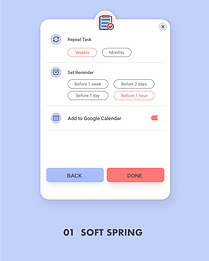
Applied 2 versions of visual styles on the card component, and tested legibility with each of the color palettes. Finally chose version 2, since it's more vivid, joyful and the color contrast is better.




User interface design

1. Notice board
2. Task management

3. Bill management

4. Profile and lifestyle

5. Onboarding screens

Branding: Logo design


